


TRIVIA 360: Quiz Game
4.44.44K Reviews
App Specs
- Version
- 2.5.0
- Updated On
- License
- Free
- Downloads
- 10,000,000+
- Developer
- Smart Owl Apps
- Categories
- Trivia
- Platform
- Android, iOS
Screenshots
 Analysis by AppCompare
I tend to reach for a trivia game when I have a few spare minutes but don’t want to start something that demands a long stretch of attention. TRIVIA 360 fits that casual habit well: it is a quiz game from Smart Owl Apps, and its mix of solo play and multiplayer makes it easier to use for either a quick personal challenge or a bit of friendly competition. I like that the basic idea is immediately understandable. You open a quiz, think through a question, and get a small mental diversion without needing to learn a complicated game system.
Where it fits in a busy day
The best use for this kind of game is a short pause: waiting for a friend, sitting on a train, or taking a break between tasks. I would not treat it as a substitute for a structured course or a deep reference tool. Its appeal is the quick cycle of recalling what you know, making a guess, and moving on. That makes it easy to pick up, but it also means the experience depends heavily on whether you enjoy general-knowledge questions rather than a longer story or a carefully planned progression.
A realistic routine might be to play alone during a commute, then invite a friend into multiplayer when you have time to compare answers. That gives the game two different jobs without requiring you to set aside an evening. If you are choosing something for a group, it can also be a useful conversation starter: a question nobody knows may lead to a quick debate or a search for the answer afterward. I find that social value more appealing than treating every round as a serious contest.
Who is likely to enjoy it
I would recommend it to people who like broad quizzes, enjoy testing their recall, and want an easy game to return to between other activities. The Everyone age rating makes it suitable for a wide audience, although what feels fun will still depend on the players’ interests and familiarity with the subjects. Its free price also makes it simple to try before deciding whether it deserves a regular place on your phone; in-app purchases are available at $1.99 per item, so it is sensible to check any purchase prompt before tapping through.
It is less suited to someone who wants a single subject explored in depth, a strong narrative, or a learning plan that teaches material in a deliberate order. If your main goal is to master a language, prepare for an exam, or study a specialist topic, a dedicated learning app will give you more structure. If you mainly want a relaxed way to challenge yourself and other people, though, the trivia format is a better match.
How to get more from each round
One useful approach is to notice the kinds of questions that slow you down rather than focusing only on your score. If geography questions are easy but science prompts make you hesitate, that tells you what to look up after a session. I would keep a short note of especially surprising answers instead of trying to memorize every result. It turns a casual game into a lightweight learning habit without making the play session feel like homework.
For multiplayer, I would agree on the mood before starting: a quick, playful challenge works better with mixed experience levels than turning every answer into a test of who knows more. If one person is much stronger in a particular subject, take turns choosing what to play or treat an uncertain answer as a chance to learn together. That small adjustment can keep a friendly match enjoyable rather than making a less experienced player feel left behind.
Worth Reading Before You Choose

Baby Panda World Brings Quick Play to Modern Phones, but Its Game Library Feels Busy

ESPN’s Live Game View Makes Following Close Games Easier

QuizzLand Review: A Good Fit for Short Trivia Breaks, Not Every Player

Basketball Stars: Multiplayer Is Fast, but Can It Recover When Matches Go Wrong?

WEBTOON Turns Phone Updates Into a Better Reading Routine

Link to Windows Runs on Shared Habits, Not Social Feeds
Another practical tip is to use short sessions deliberately. A trivia game can make a wait feel shorter, but it is easy to keep playing just because the next round is available. I use it as a contained break rather than opening it when I need to concentrate on something else. That keeps the quick-play appeal intact and avoids turning a spare moment into an unplanned distraction.
First Impressions and Getting Started
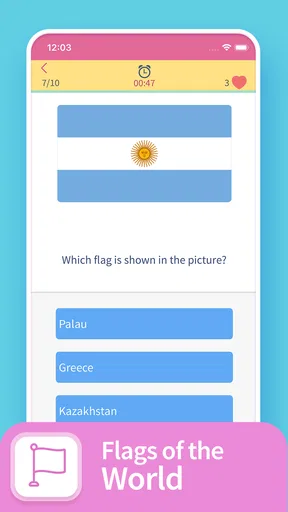
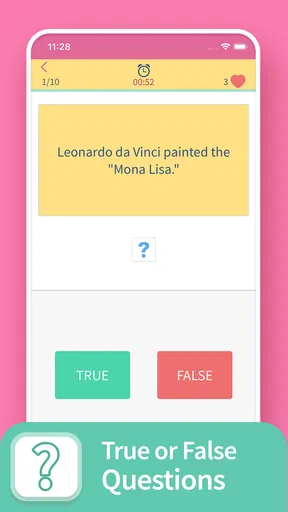
As soon as I installed TRIVIA 360, the sleek and colorful design caught my eye. It’s not overly flashy, which I appreciate because it keeps the focus on what really matters: the trivia! The app is super easy to navigate, making it perfect for anyone looking to dive right into the action without a bunch of unnecessary clicks.
Setting up was a breeze. You don’t have to create an account unless you want to track your progress across devices. For those who are privacy-conscious, this is a neat option. Once you’re in, you’re greeted with a variety of categories to choose from. Whether you’re into geography, science, or pop culture, there’s something for everyone.
Game Modes and Features
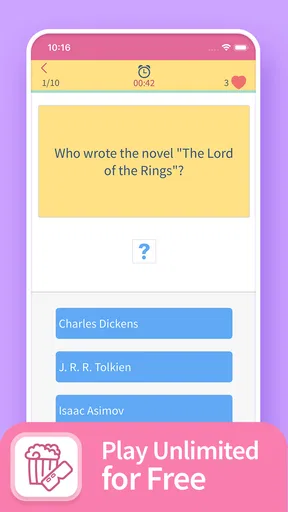
The app offers a few different game modes to keep things interesting. The classic mode is perfect for a quick play session. Just answer as many questions as you can before time runs out. It’s a race against the clock, and let me tell you, it's addictive!
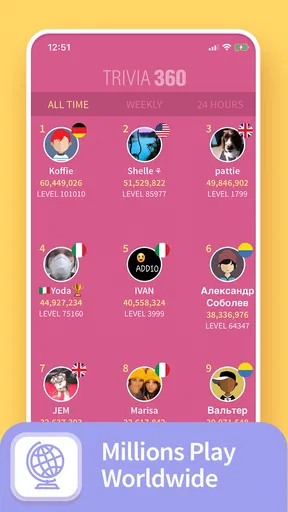
For those competitive folks, there’s a leaderboard feature where you can see how you stack up against other players. It’s a nice touch, especially if you’ve got a bit of a competitive streak. I found myself trying to beat my own scores every time I played.
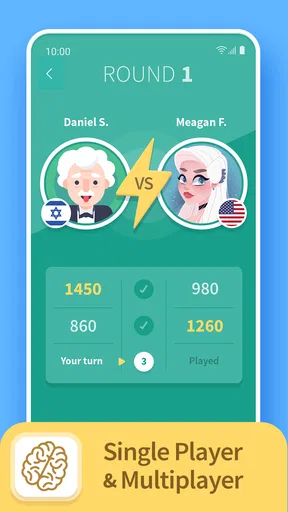
Another feature worth mentioning is the multiplayer mode. You can challenge your friends or random players from around the world. It’s a great way to test your knowledge and maybe learn a few new facts along the way. And if you’re playing with friends, it’s a fantastic way to keep the banter going!
The Trivia Experience
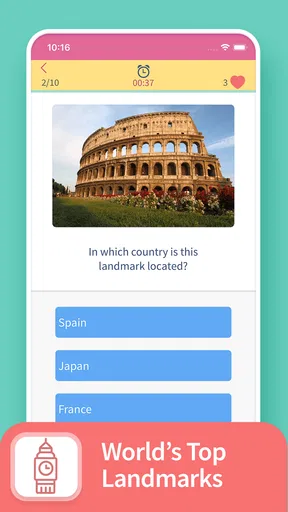
Now, let’s talk about the questions. The trivia itself is quite diverse and well-curated. Some questions are straightforward, while others might throw you for a loop. I appreciated that the difficulty gradually increases, so you’re not overwhelmed right out of the gate.
One thing I noticed is that the questions are regularly updated, which keeps the content fresh. There’s nothing worse than getting the same questions over and over again, and thankfully, TRIVIA 360 avoids that pitfall.
What Keeps Me Coming Back
So, what makes this app a keeper on my phone? For starters, it’s the perfect mix of challenging yet fun. It’s not just about testing your knowledge but also about expanding it. I’ve picked up so many random facts that I can now drop into conversations like a trivia ninja!
Also, the app doesn’t bombard you with ads, which is a huge plus. There are some, but they’re not intrusive, and I can easily ignore them if I want to. The developers did a great job in balancing user experience with monetization.
A Few Suggestions
While I’m a big fan, there’s always room for improvement. It would be nice to see more customization options, like the ability to select specific subcategories or tailor the difficulty level. Additionally, introducing themed quizzes for holidays or current events could add an exciting twist.
Another feature that could enhance the experience is a hint system for those questions that leave you scratching your head. Sometimes, a little nudge in the right direction can be helpful, especially for younger players or trivia newbies.
What to expect from its current version
The game is currently at version 2.5.0, following its release on June 3, 2016. That gives it a longer history than a brand-new quiz app, but I would separate that history from any assumption that every part of the experience has changed recently. A version number tells me which build I am considering, not whether a particular mode or question set was just added. I would judge it by the play experience available now rather than expecting a specific roadmap.
For existing players, the practical question is whether their familiar routine still works: can they jump into a solo round, use the categories they enjoy, and find opponents when they want a social challenge? Those are more useful checks than chasing a version number by itself. If you already have a favorite way to play, it makes sense to test that first after installing or updating, then explore other modes only if you want a change of pace.
Its public reception suggests that many people have found the format worth trying: the game has a 4.4 average from around 126,000 ratings and more than 10 million installs. I treat that as context, not a promise that every question will suit my tastes. Trivia is personal; a player who loves one subject may find another round uneven, and a large audience cannot guarantee that a particular match will be lively.
Where the familiar quiz format has limits
Compared with a single-subject quiz app, this broader approach is better when you want variety and do not want to choose a lesson in advance. Compared with a party quiz designed around a room full of people, it is more convenient for an individual phone session, while the social atmosphere depends on who is playing with you. That distinction matters: the game can support a friendly contest, but it cannot make a quiet opponent or an uneven skill match entertaining on its own.
Timed questions also create a trade-off. They add urgency and make a short session feel lively, but they can reward fast recall over careful reasoning. If you like to pause and think through every possibility, a countdown may feel more stressful than fun. In that case, I would use a less time-pressured quiz elsewhere rather than trying to turn this format into a slow study tool.
Question variety is another reason to keep expectations realistic. A broad trivia game can surprise you with topics outside your comfort zone, which is part of the fun, but a wide spread is not the same as a tailored curriculum. I would not rely on it for authoritative preparation or assume that every answer will explain the background behind a fact. When a question catches my interest, I treat it as a starting point for learning more, not the whole lesson.
Small choices that improve the experience
If you are new to the game, try a solo session before inviting friends. It gives you a feel for the pace and the range of topics without the pressure of answering in front of someone else. Then, when you move to multiplayer, choose a familiar group if the goal is relaxed conversation; playing against strangers makes more sense when you specifically want an unpredictable challenge. This is a simple way to match the mode to your mood instead of assuming one option is always best.
For a family or mixed-age group, I would keep the focus on sharing surprising answers rather than ranking everyone. The Everyone rating is reassuring for broad suitability, but it does not mean every question will be equally accessible to every person. Let younger or less experienced players guess freely, and use missed questions as prompts to explain an answer if someone is curious. That keeps the game welcoming without pretending that different knowledge levels disappear.
It is also worth deciding what you want from a session before you start. If you are waiting for a bus, a brief solo challenge is a natural fit; if you have a friend available, multiplayer can turn the same spare time into a shared activity. If neither sounds appealing, there is little reason to force it. This game is strongest when the player enjoys spontaneous general knowledge, not when they need a prescribed daily routine.
Questions worth considering before you install
Do you need an account to begin? The original setup experience described here did not require one for basic play, though an account may be useful if you want progress tracked across devices. Is it free? The game is free to install, while optional in-app purchases are listed at $1.99 per item; I would review each prompt before buying rather than assume every feature requires payment. Can children play? Its Everyone age rating makes it broadly accessible, with the usual caveat that parents may still want to check how a child uses online multiplayer.
Can you play alone or with others? Both styles are part of the game, so it can work for a solo break as well as a challenge with friends or other players. Is it the right quiz for learning a specific subject? Probably not if you need structured teaching, targeted practice, or detailed explanations. Those questions help set expectations before you download: this is a casual trivia game first, and its value comes from the quick challenge and variety rather than a formal study plan.
On Android, the listed minimum operating system is version 5.0, which is useful to check against an older device before installing. The game is free, but the optional purchases make it worth paying attention to the purchase screen, especially if you share a phone or let a child play. I would also check that your device can access the multiplayer experience you want before planning a group session, since a solo round is the simpler choice when you just need a quick diversion.
Final Thoughts
All in all, TRIVIA 360 is a fantastic app that offers a fun and engaging experience for trivia lovers. Whether you’re looking to kill some time or challenge your brain, it’s got you covered. It’s user-friendly, constantly updated, and has a good mix of questions to keep you on your toes.
If you’re someone who enjoys learning new things and loves a bit of friendly competition, give TRIVIA 360 a shot. You might just find yourself hooked like I did. So, go ahead, download it, and let the trivia battles begin!
My recommendation
My recommendation is to try it when you want a compact quiz rather than a complete learning system. I would keep it for commutes, short waits, and low-pressure matches with people who enjoy general knowledge. If you prefer thoughtful study, highly customizable topics, or a game whose fun comes from a story and progression, another kind of app will suit you better. For a quick test of what you know, though, this one has a clear place in my rotation.
Pros
- Engaging and diverse quiz categories.
- User-friendly interface with smooth navigation.
- Regular updates with new questions.
- Multiplayer mode for competitive fun.
- Offline play available for convenience.
Cons
- Ads can be intrusive during gameplay.
- Limited customization of avatars.
- Some questions may repeat frequently.
- Requires internet for leaderboard updates.
- No option to create custom quizzes.
FAQs for TRIVIA 360: Quiz Game
What is TRIVIA 360: Quiz Game?
TRIVIA 360: Quiz Game is a challenging and engaging trivia app available on both Android and iOS platforms. It offers a wide range of question categories, including history, science, and pop culture, designed to test your knowledge. The app provides both single-player and multiplayer modes, making it suitable for playing solo or with friends.
Is TRIVIA 360: Quiz Game free to play?
Yes, TRIVIA 360: Quiz Game is free to download and play. However, it does offer in-app purchases for users who wish to enhance their gaming experience. These purchases can include additional question packs or ad-free gameplay, providing more variety and a smoother experience.
What types of questions can I expect in TRIVIA 360?
TRIVIA 360 features a diverse range of questions covering numerous categories like geography, entertainment, sports, and general knowledge. The questions vary in difficulty, making the game suitable for both casual players and trivia enthusiasts. The variety ensures that players are constantly challenged and engaged.
Can I play TRIVIA 360 offline?
TRIVIA 360 requires an internet connection to access its full range of features, including multiplayer mode and leaderboard rankings. However, some single-player modes may be accessible offline, allowing you to enjoy trivia challenges even without an active connection. Check the app for specific offline capabilities.
How does multiplayer mode work in TRIVIA 360?
In multiplayer mode, you can compete against friends or other players worldwide. The app matches you with opponents of similar skill levels, ensuring a fair challenge. You can invite friends through social media or compete against random players, making each match unpredictable and exciting.


